If you've been uploading to YouTube the same way you did three years ago, keyword title, a description, a handful of tags, you're not just behind on the platform. You're invisible in AI search too.
Google has put Gemini inside YouTube's recommendation system. Gemini doesn't just read your title and description. It reads your full transcript, your audio, your frames. And because Google owns both YouTube and AI Overviews, the same video that ranks on YouTube can now be cited in Google's AI search answers, often at the exact moment that answers the question.
That's a significant shift. Most founders and small business owners haven't adjusted what they publish.
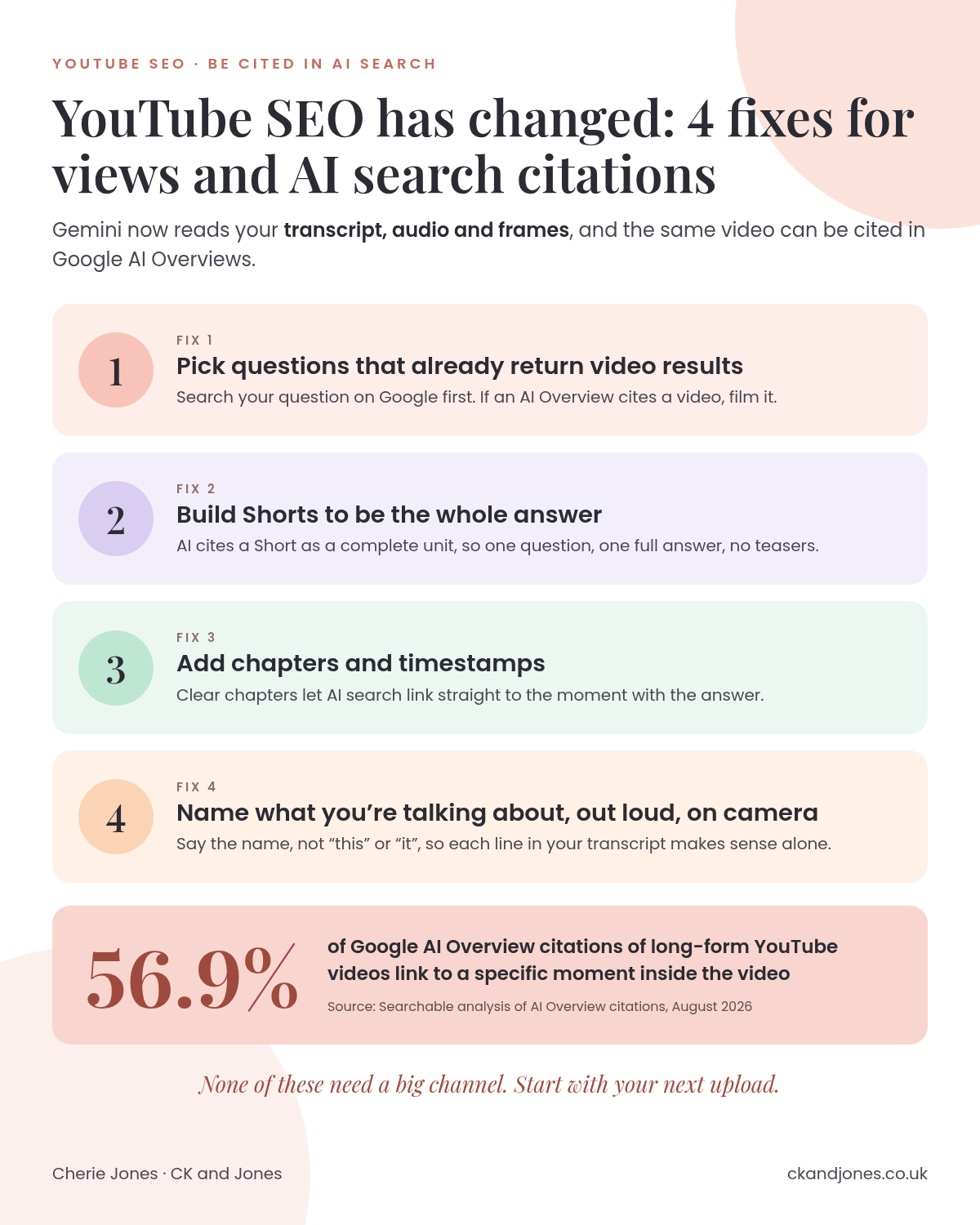
This post covers what changed and the four fixes that win you more views on YouTube and get your videos cited in AI search. None of them require a big channel. All of them start with your next upload.
What Gemini Inside YouTube Actually Changes
The old YouTube algorithm was essentially a metadata machine. It matched your title, description, and tags to what someone searched, then weighed watch time and engagement to decide whether to push your video further.
Gemini changes the inputs entirely.
YouTube's recommendation system now processes your video the way a human would watch it: reading the transcript, listening to the audio, and analysing individual frames. That means the words you say on camera, the structure of your content, and the clarity of your explanations all feed directly into how YouTube understands what your video is about.
This matters for two reasons:
YouTube surfaces videos in new ways. Ask YouTube is a question-based search feature that builds an answer from videos, Shorts, and specific sections pulled from inside them. Custom feeds serve content based on interest signals, not just search queries.
Google pulls YouTube videos into AI Overviews. Because Google owns both platforms, a video that clearly answers a question can appear in Google's AI-generated search summary, often as a citation at a specific moment, not just a link to the start.
The result is that your YouTube content is now being evaluated as an answer, not just a video. And if it isn't structured like one, it won't be selected as one.
Your YouTube Strategy Is Now an Answer Engine Strategy
This is the reframe that changes everything about how you plan your content.
SEO, the traditional kind, was about keywords. What words do people type? How many times does this phrase appear in my title and description? That thinking is increasingly irrelevant on YouTube, and completely insufficient for AI search.
The shift is from keyword research to prompt research: not what words people type, but what questions they ask. AI engines, whether that's Google AI Overviews, ChatGPT, or Perplexity, are built to answer questions. They cite sources that answer those questions clearly and specifically. If your video is built around a keyword rather than a question, it's much less likely to be selected as a citation.
AEO (Answer Engine Optimisation) is the practice of structuring your content so AI platforms cite and recommend it in their answers. YouTube content is now part of that game.
The practical difference looks like this:
“YouTube SEO tips” becomes “How do I get my YouTube video to rank?”
“Social media for small business” becomes “Which social platforms should a small business focus on?”
“Email marketing strategy” becomes “How often should I email my list?”
The question format isn't just better for AI search. It's also more specific, which means it attracts exactly the viewer who needs what you offer, rather than a broad audience who may not convert.
Titles and descriptions still matter, by the way. They remain important signals. But they're no longer sufficient on their own. Gemini is reading the whole video now, and the whole video needs to function as an answer.
The Four Fixes
These are the changes that matter on both YouTube and AI search. You don't need to implement all four at once. Start with whichever fits your next video.
Fix 1: Pick questions that already return video results
Before you film anything, check whether the question you want to answer actually surfaces video in Google Search and Google AI Overviews. If it does, that's a strong signal that AI engines consider video a valid format for answering that question. If it doesn't, you may be making a video for a topic that AI search will only ever answer with text.
This is prompt research in practice. Search your question on Google. Look for a video carousel or an AI Overview that cites a video. If you see one, you're in the right territory. If you don't, consider whether the question needs reframing before you invest time filming.
You don't need a big channel to get cited. AI search selects for relevance and clarity, not subscriber count. A small channel with a precise, well-structured answer can outperform a large channel with a vague one.
Fix 2: Build Shorts to be the whole answer
Shorts behave differently in AI search from long-form videos. When an AI engine cites a long-form video, it typically deep-links to a specific moment inside it. Shorts, because they're short, are cited as a complete unit.
That means a Short needs to contain the full answer, not a teaser, not a hook that leads somewhere else. If someone asks a question and an AI engine cites your Short, that Short is the answer. It has to stand on its own.
The practical implication: treat every Short as a self-contained explainer. One question, one clear answer, delivered completely within the video itself.
Fix 3: Add chapters and timestamps (this is non-negotiable)
Here's the number that should change how you think about chapters: 56.9% of Google AI Overview citations of long-form YouTube videos send the viewer to a specific moment inside the video, not to the start.
That figure comes from Searchable's analysis of every Google AI Overview citation of a long-form YouTube video across the brands it tracked in August 2026.
More than half of citations are deep links. Which means if your video doesn't have chapters and timestamps, AI search can't reliably pinpoint the moment that answers the question. It may still cite your video, but it's less likely to, and the viewer experience is worse when it does.
Adding chapters is straightforward:
Write your chapter titles as questions or clear statements, not vague labels like "Part 2"
Add timestamps to your description in the format 0:00 Chapter title
Make each chapter genuinely self-contained so it can be understood without the surrounding context
Chapters also help YouTube's own recommendation system identify which part of your video is relevant to which search query. It's one of the clearest signals you can give both platforms.
Fix 4: Name what you're talking about, out loud, on camera
This is the fix that costs nothing and that almost nobody does deliberately.
Because Gemini reads your transcript, the words you say on camera are now part of how your video is indexed and cited. If you refer to something as "this" or "it" or "the thing I mentioned earlier," Gemini has to infer what you mean. If you name it explicitly, Gemini knows exactly what you're talking about.
The practical habit: whenever you introduce a concept, a tool, a strategy, or a term, say its name clearly. Not once, but a few times across the video, naturally woven into your explanation. This is what makes any sentence in your video "liftable," meaning an AI engine can pull that sentence out of context and it still makes complete sense as a standalone answer.
Quotable content is content structured so a machine can lift a clean line straight out of it. On YouTube, that means saying the name of what you're discussing, out loud, in a complete sentence, more than once.
This applies to your written content too, but on video it's even more important because the transcript is now a primary input for how your content is understood.
Which AI Engines Actually Send People to Your Video
Not all AI platforms treat video the same way, and it's worth knowing the difference before you optimise.
Google AI Overviews is the platform most likely to deep-link into a specific moment in your video. That 56.9% figure applies here. Google has the infrastructure to connect its AI search layer directly to YouTube's timestamp system, which is why chapters matter so much for Google citations specifically.
Perplexity cites YouTube videos and will link to them, but typically to the video as a whole rather than to a specific moment.
ChatGPT can reference YouTube content in responses but doesn't deep-link to timestamps in the same way Google does.
The practical takeaway: if you want AI search to send people to the exact second of your video that answers their question, Google AI Overviews is where that happens. Chapters and timestamps are your mechanism for making that possible.
That doesn't mean ignoring Perplexity or ChatGPT. A citation is a citation. But the deep-link behaviour is currently a Google-specific advantage, and it's one worth building your video structure around.
Start With What's Already Out There
Before you change anything about your next upload, it's worth knowing where you currently stand. Are AI search engines citing your videos? Are they citing your competitors' instead?
That's the gap that matters. If a competitor's video is being pulled into Google AI Overviews every time someone searches a question you could answer, that's visibility you're not getting, and it compounds over time.
The first step is always the audit. Check which of your existing videos are being cited, which questions in your space are already returning video citations, and where the gaps are between what you're publishing and what AI search is actually selecting.
See whether AI search is citing your videos or your competitors →
The four fixes above are straightforward. The harder part is knowing which ones to prioritise for your specific content and your specific audience. That's where a proper AI visibility audit pays for itself quickly.
YouTube SEO hasn't disappeared. It's just expanded. And the businesses that understand that expansion now are the ones who'll own those citation slots before their competitors realise the rules changed.
