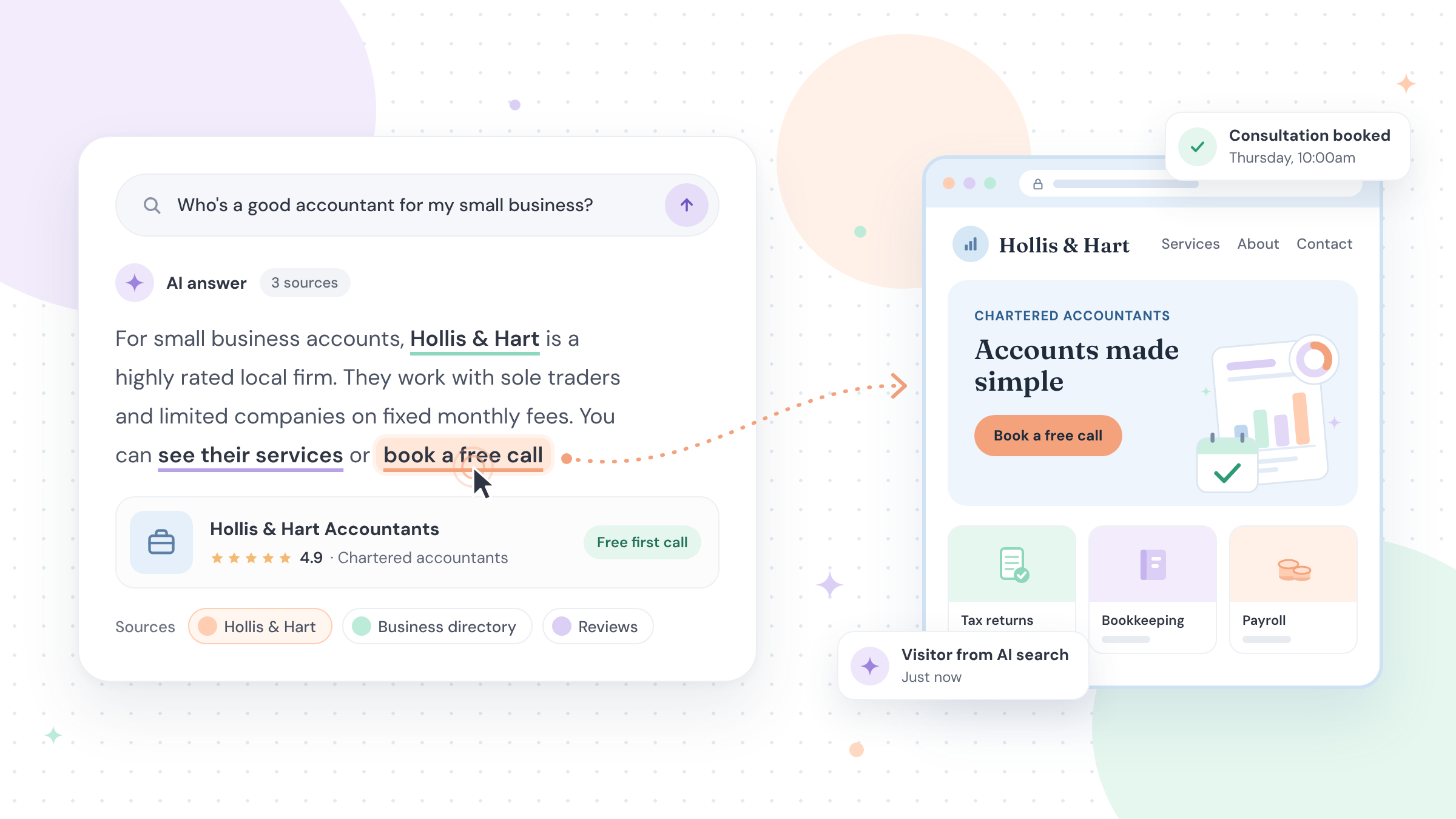
Illustration of an AI search answer with highlighted links leading to a business website.
If you've searched on Google lately, you've probably seen an AI-written answer at the top of the page. For many of the founders I work with, the worry has been simple: if Google answers the question itself, will anyone still click through to my website?
On 15 October, Google announced changes that speak directly to that worry. Its AI answers are getting more links, shown higher up. Here's what changed, what it could mean for a business like yours, and what Google itself says you can do about it.
First, what are AI Overviews and AI Mode?
They're two of the ways Google uses AI to answer searches.
AI Overviews are the AI-written summaries that appear at the top of some Google results. Google describes them as a way to get "the gist" of a question quickly, with links to explore further. They only appear when Google decides they add something, so many searches don't show one.
AI Mode is designed for more complex questions and comparisons, the kind that might once have taken several searches.
Both show links to the websites they draw on. Those links are what this update is about.
What did Google actually announce?
Google's announcement covered several changes. Two matter most for you.
1. More links inside the answer itself. Google calls these inline links: "links embedded in words or phrases in an AI response". Google says it has made "continued and substantial increases" to how often they appear, and is now showing them "higher up in responses more frequently".
2. A new section for "official" pages, currently in testing. In Google's words: "Sometimes, there are only one or two official places on the web to complete a specific task or get the exact info you need." Google is testing a section at the top of some AI answers that shows these links, "with context about why each link is useful".
Why does this matter for a business like yours?
Links are the bridge between an AI answer and your website. The more links Google shows, and the higher up it shows them, the more chances there are for a reader to visit the source behind the answer.
That's a chance, not a promise. Not everyone clicks, and even the industry press isn't sure how many will. Search Engine Land's Barry Schwartz asked plainly, "But will searchers click?"
Here's an example of how it might play out. Imagine a business owner searches, "What should I do before making a role redundant?" An AI Overview might give a short summary with a handful of links. An HR consultant who has written a clear, practical guide on exactly that question, drawn from years of real cases, has the kind of page Google says it wants to link to.
What does an "official place" mean for you?
Google hasn't said which searches will show the new section. But it's a useful question to ask about your own website.
When someone wants to book a consultation at your private clinic, see what a first meeting with your financial planning firm involves, or find how to contact your firm, is your website the clearest and most complete place to do that? Or is the detail buried in a PDF or an old social post?
Google already shows links "front and center" when people are looking for a particular site. This test is a reminder to make your own site the obvious, reliable home for the facts about your business.
How can you help your website be one of those links?
The reassuring part is that there's no secret trick. Google's own guidance says: "There are no additional requirements to appear in AI Overviews or AI Mode, nor other special optimizations necessary." These are the foundations I'd start with, all from Google's own documentation.
Can Google find and show your pages?
To appear as a link in AI Overviews or AI Mode, a page must be indexed (stored in Google's database of web pages) and eligible to show with a snippet, the short text preview under a search result. Check you're not blocking Google, and verify your website in Google Search Console, Google's tool for website owners. Google's guide also says your site must be included in its generative AI features in Search Console to be eligible. Even then, Google is clear that showing up isn't guaranteed.
Does your content share something only you know?
Google encourages "non-commodity" content: writing that goes beyond common knowledge with your own expertise. Compare "5 tips for retirement planning" with "What I check first when a client in their fifties asks if they can retire early". The second could only come from someone who does the work. For topics that affect people's health or money, Google says content "must be highly accurate", so this matters even more for clinics and IFAs.
Is it clear who wrote it?
Google "strongly encourage[s]" accurate author information, such as a byline. Put your name, your role and a link to an About page that explains your experience.
Is your Google Business Profile up to date?
Google's checklist for AI features includes making sure your Business Profile information is up to date. Check your category, hours, address (if clients visit you), photos and description, and reply to reviews.
Do your behind-the-scenes labels match your page?
Structured data is a small piece of code that labels facts on a page, such as your business name and contact details, so Google can read them reliably. Google says there's no special code you need for AI features. If you do use structured data, it should match what visitors can see on the page.
You don't need an "AI file" (sometimes called llms.txt) or to chop your content into tiny pieces for Google. Google says its search ignores llms.txt files, and there's no requirement to break up your content.
How will you know if it's working?
Google Search Console now has a generative AI performance report, available to all websites since 31 August 2026. It shows impressions from AI Overviews and AI Mode, which means how many times links to your site were shown there, plus which pages, countries and devices.
What it doesn't show is clicks from AI answers on their own. Those clicks are included in your overall Search Console figures, but Google doesn't separate them out. So treat it as a sign of direction, not a scoreboard, and use a tool such as Google Analytics to see what visitors do once they arrive.
Frequently asked questions
Do I need special code or an "AI file" to appear in Google's AI answers?
No. Google says there are no additional requirements and no special structured data needed for AI Overviews or AI Mode. The usual good practice for Google Search applies: pages Google can find and show, helpful content written from real expertise, and accurate business details.
Will everyone see Google's new "official places" section?
Not yet. Google says it's testing this section, so it may only appear for some searches and some people, and it could change before any wider rollout.
Can I see how many people click through to my site from AI Overviews?
Not separately. Search Console's generative AI performance report shows impressions, meaning how often links to your site were shown in AI Overviews and AI Mode. Clicks from these features are counted within your overall Search Console figures but aren't broken out on their own.
Want a practical place to start?
If you'd like a simple guide to work through at your own pace, our free Be Visible in AI Search playbook is a good place to start. I hope it helps.
